1

Netbook Better Than iPad For Writers

June 2, 2010

ipad-for-writers-size-killer I had a chance to get some hands on time with an iPad the other day. Like everyone else, I thought it was really cool at first. I mean, imagine the possibilities. But, then as reality sat in, I could only actually imagine two possibilities (games and reading), neither of which justifies a $100 device, let alone a $500 one.

Now, I am sure that for certain people, the iPad or a touch-pad tablet computer of some sort might eventually be very useful. However, for right now, all I see is a really expensive technology gizmo whose “big ideas” are all really just gimmicks when you get right down to it. The iPad may be great for techie types who surf the Internet during meetings, but for a freelance writing business, the value is very limited.

Plug for my article about best WordPress themes for writers making money with ads online.

iPad Size Makes It Useless

The problem is not with the snazzy iPad interface, nor with the applications offered. The problem is also not with the features the iPad has or the functionality that the iPad lacks. (And, yes, Adobe Flash is a big, fat, piece of junk that causes crashes, battery drain, and overheating.) These things seem to be mostly up to task for a device of this kind.

The main problem that sinks the iPad as a usable writer’s tool is its size. This seems counterintuitive. After all, one of the big selling points of the iPad is its small size and light weight. The iPad is much lighter than most laptops and smaller than most of them too. It is also thinner than a netbook.

So, what is the problem with the iPad’s size?

After you get past the gee-whiz factor, the reality of the world is that when it comes to size, there are really only a handful of meaningful differences. These size categories are the ones that determine how any device, electronic gadget or otherwise, is used in your day-to-day life. Some things are not portable at all while other things can be carried with you everywhere (your car keys). In between are various levels of portability such as:

  • Fits in the trunk of a car.
  • Can be carried in suitcase.
  • Can be carried in backpack.
  • Can be carried in briefcase or messenger bag.
  • Can be carried in fanny pack.
  • Can be carried in purse.
  • Can be carried in pocket.

When Size Matters

The easiest way to see these size distinctions is to think of the tradeoffs between organizers or planners and their size. For example, you can get a big, 8 1/2 by 11, Franklin Covey organizer with pouches, pockets, planning sheets and calendars for just about any scenario you can imagine. The problem is that it will be bulky, heavy, and large. That means that it will sit on your desk all of the time. Maybe you will put it in your briefcase or work bag at the end of the day and take it home with you, but that is it. There is no way you will be lugging that thing around when you go to happy hour or a writing conference.

If you sit at a desk all day, then this type of planner maybe makes sense. However, if you do a lot of traveling or if you have client meetings all over the city, or if you don’t have a desk job, this planner is worthless to you, no matter how great and feature packed it is.

On the other end of the spectrum would be little, note card-sized calendars that fit in your pocket or purse. The great thing about these is that they are small enough to take everywhere with you. That means that you will never be somewhere and get an important meeting setup or critical phone number without your planner right there to write it down in.

For ultimate organization check out the ADHD Planner tips

The downside, of course, is that with it being so small you have to leave out a bunch of important items you could really use sometimes. Unlike the giant planner, there is no room for a business card holder, or even for a pocket to hold your parking pass or identification card. If you need to have lots of different things with you when you are in business mode, then this planner is worthless to you no matter how compact, lightweight, and portable.

There are any number of other sizes of planners and organizers in between. They tend to fall into approximately standard sizes, however. This is partly due to being sized to match up with readily available paper sizes. It is also because there is a point where the size differentiations just don’t matter any more.

For example, can you really write that much more information in a 6″ x 8″ planner than you can in a 5″ x 7″ planner?

More importantly, there is no real reason to distinguish between the two sizes. Neither one will fit in your pocket or purse, and neither one will allow you to carry “everything.” So, in most respects, these planners are the same size.

The Only Sizes That Matter

Which brings us back to the failure of the iPad as anything more than a fun little gadget, and, more importantly, to what makes the iPad suck for writers.

In the world of the work from home freelance writer, there are different functions and events that take place. This is roughly true for all professional writers, regardless of whether they work eight hours at a desk in an office or whether they work 24/7 from the road.

As a writer the differences revolve, not surprisingly, around writing. When it comes to writing there are just three scenarios that matter.

  1. Full Setup Physical Location – Your home office desk or a desk or table at a client site all fall into this category. This is a place where you will be doing enough work, often enough, that you take the time to place and setup your equipment and then leave it there. This involves a desktop computer or docking station with a full-size keyboard and full-size monitor.
  2. Temporary Planned Location – Starbucks, Stella’s on Pearl Street, coffee shops, libraries, cafes, and on-site locations for a short period of time. These are the bread and butter locations for the freelance writer. A table, a fun, sunny, open atmosphere, or an empty desk or table in an office building. The thing about these locations is that they are temporary. Desktop computers, 24″ monitors, wiring, and the like are out. On the other hand, there is going to be an electrical outlet and a desk or table to type on. You might be there for 20 minutes, or it might be six hours. Either way, this is a certain kind of portability. I like to call this bag-level portability. While these work locations may be temporary, they are not a surprise. On the contrary, I PLAN to be at these locations for a set amount of time and I pack a message bag to carry with me according to how long and what I plan to be working on.
  3. Unplanned Locations – Inspiration can strike at any time. Jotting down a note of an idea for something to write about, a quote that you want to use later, or even doing some actual writing, requires the writer to be prepared at all times. To be useful, any device used in this scenario has to be so portable that you can (and do) carry it with you at all times. This is the opposite of the above where you plan on when to have equipment with you. For these highly portable devices, you plan when to NOT have them with you. (Leave your cell phone at home, dear.)

By now, you can probably see where the iPad falls short for someone like me. It is too big to be a carry with me at all times device. The iPad is a bag-level portable device. That is, you are not going to carry an iPad with you unless you have some sort of bag or portfolio that you are carrying around with it inside.

There is nothing wrong with that, but it begs the question,

“If you are carrying around a bag or purse that would fit an iPad, wouldn’t it also fit a netbook?”

And, if you can be carrying a netbook, wouldn’t you rather have something that has a keyboard that you can touch-type on? Over at Cult of Mac (nice name) they mention that you can use an Apple Bluetooth aluminum chiclet keyboard that you already have sitting on your desk. Unfortunately, that is exactly the point. Do you really need an iPad for your desk?

You can also get a special keyboard for the iPad, but by the time you add that size and weight (and cost), you are well into netbook and laptop territory, and for the same money you can get something that won’t constrain your ability to work on a wide variety of projects.

What we really need is something that still fits in a pocket (I mean actually fits, I’m looking at you Sony.) and yet is bigger and faster to type on than a standard smart phone. The iPhone is one of those devices, so that makes a lot more sense. Maybe I will look at one of those or its competitors when the time comes, but for now, the little scribble pad and touch screen keyboard on my three-year old HTC Touch handles the anytime anyplace requirements.

Webhosting Service Unbiased Comparison

May 27, 2010

website-speed-fast Finding useful webhosting information is next to impossible. Most of the big, brand-name webhost companies out there offer very sizable pay to affiliates who refer people to their service. That means that almost every single comment on the entire Internet about which web hosting services are good and which web hosts are bad is tainted by a giant conflict of interest.

I’ll try and spare you the details of how I know this, or why my freelance writing business and I are innocent (but, really I am.)

If you happen to see any webhosting advertisements while you are reading this article, please note that those are Google AdSense ads and that:

  • a) I have no control over which ads do or do not show up, so I neither endorse, recommend, nor condemn whoever’s advertisements are showing up there
  • b) while I do get paid by Google if someone clicks on one of those ads, I do not get any sort of affiliate marketing pay from the webhost ads
  • c) if someone does click, may payout for that action from Google will only be a dollar or two, furthermore, that pay rate would be the same regardless of who or what is clicked, so there is no reason for me to choose one over another
  • d) there are no affiliate links to webhosts of any kind on this page (or on this whole site as far as memory serves)

Hopefully, this fully demonstrates my impartiality in this manner at this time :)

Google Uses Speed For Search Rankings

Google recently announced that it is now using the speed with which a website loads as part of the algorithm that ranks websites in their search engine results pages (aka SERPs). It won’t be long before Google has to go back on this, just like they did with how they said they would handle no-follow links, because the truth is that the junkiest, slimiest, most prolific spammers, tricksters, and charlatans on the Internet use blazing fast web servers in order to scam the most people possible in a given amount of time.

In other words, using speed as a ranking factor benefits those that should not get high Google rankings the most. Whether Google announces this rollback or not remains to be seen, but I would count it as unlikely.

However, the good news is that in order to allow webmasters, content publishers, and writers making money online with websites to see how their website’s speed is affecting their rankings, Google has included a new tool in the Labs section of Google Webmaster Tools.

The value of this new utility is not in improving your PageRank or anything of the sort, but rather in seeing how an impartial, third-party, and a very important one at that, thinks your website is doing in terms of speed.

More to the point, this tool allows you to see how good your webhosting plan is.

If you have more than one website, or if you have two webhosts, you can run the Google search engine Site Performance tool on both of your websites and compare how fast they load. Obviously, the more similar the websites are, the more valid the comparison. However, two WordPress blogs with approximately the same number of plug-ins running on similar themes should be close enough for a broad comparison.

Making judgments based upon a half-second or other tiny difference probably isn’t wise, but if one webhost company is giving you sub-one-second times on the Google Site Performance Graph while another hosting company is giving you over three-second load times (or worse) on a similarly sized site, you have your answer about which webhost plans are good WordPress webhosts and which ones are crappy WordPress hosting companies.

Demand Studios Increases Pay For Writers

May 25, 2010

earn-more-money-writing As long time readers of this blog know, I’m a big fan of writing for Demand Studios for certain things. While I don’t think that it is worth it to write for Demand Studios as your sole source of income, or for even a big part of your freelance writing business revenue, Demand Studios assignments offer a unique combination of flexible scheduling, fast pay, and ease of projects that is tough to find elsewhere. That makes Demand Studios good to write for when you get those 2:00 am can’t sleep nights. If you can’t sleep, you might as well make some money while you are increasing your sleep deficit.

However, the entire value in writing for Demand Studios comes from being able to do it fast. Writing fast for $15 an article isn’t enough; you have to write really fast to make writing for Demand Studios worthwhile. I shoot for 4 articles per hour. Do the math and that works out to a freelance writer making $60 per hour. That obviously is not the best hourly rates freelance writers make, but it is good enough to make it a place to keep in your back pocket for emergencies or just for those slow weeks.

Constantly striving for speed in writing and making more as a freelancer has its drawbacks. It can feel more stressful than it should. Everything gets more stressful when there is a timer counting down, whether real (I use a little digital kitchen timer) or imagined. Also, by dropping in and out of the Demand Studios community at seemingly random intervals, one ends up missing some things along the way. Occasionally, I have numerous messages waiting for me on my "Work Desk" and I just end up clicking close without reading them so that I can get going. That means that sometimes I miss things.

Don’ miss the Guru.com update about Freelancer Rank

New Pay Rate on Demand Studios Articles

Today, I logged onto Demand Studios to claim a queue full of articles for the upcoming pre-Memorial Day period when prospecting for new freelance writing clients and looking for projects to fill the business revenue pipeline becomes a low return time investment. When what to my wondering eyes should appear, but a bunch of article titles, and a new price tier.

I haven’t had any time to investigate it yet, but there is now a $16 per article pay rate on Demand Studios. Again, this is not even close to what a professional freelance writer is worth if you can’t crank these suckers out by the handful in a short period of time. However, assuming one could continue to meet the rate of 4 per hour, a $16 rate of pay works out to $64 per hour instead of $60 per hour. That doesn’t seem like much at first glance, but it works out to something like a 6.5% pay raise if you filled your claimed article queue with $16 articles.

It may turn out that this new tier is worthless. There may be extra work involved that would slow things down too much. There may be just a bunch of lame titles that would be either too painful or too involved to write. However, when I clicked on the filter for $16 and then clicked on Business and a couple of other categories, it seemed like a decent sized list popped up. I’ll let you know more when I know more.

Check out the latest credit card rewards review.

Writing For Elance as a Professional Freelance Writer

Recently, I had the opportunity to review an ebook about getting freelance writing gigs (and other work) via freelance project bidding site eLance. As I have mentioned in the past, there have always been just too many ifs, ands, or, buts, that go along with getting freelancing work on Elance. However, this how-too book lays out a path for successfully getting high paying freelance jobs on Elance. It was recently referenced by a successful Elance user who credited it with his success.

I’ve read it over and am now in the process of trying the ideas mentioned. Some of them are basic, and others are ones I pretty much already figured out for myself as a successful online entrepreneur, but there are some pointers that I have never tried before on Elance or anywhere else.

Look for an upcoming review here on ArcticLlama professional freelance writing blog once I have a chance to ascertain the value of the advice. Or, do yourself a favor and just grab the freelance writing RSS feed.

  • 0

    Professional Writing Tips Getting Words Right

    May 21, 2010

    The precise meaning of words and the proper construction of syntax is often too mundane to be observed by many. However, to the professional writer and those who strive for excellence, getting the words right is important. Here is one of many instances.

  • 0

    Freelancing Sick Time

    May 18, 2010

    Freelance writers don’t get paid sick leave, or paid vacation time for that matter. Dealing with this fact isn’t as easy as it may sound.

  • 0

    Best Piece of Advice for New Freelance Writer

    May 17, 2010

    The single best piece of advice any freelance writer can get when they are just starting out as a new freelance writer.

  • 0

    Distraction Free Writing Programs

    May 14, 2010

    There are a ton of little writing utilities floating around out there that offer "distraction free writing" by offering a full screen word processor with no menu, and minimal functions. The idea is that a big blank screen will eliminate distractions so that you can focus on your writing. As if the problem with Microsoft [...]

  • 0

    Yahoo Styleguide for Web Writing

    May 11, 2010

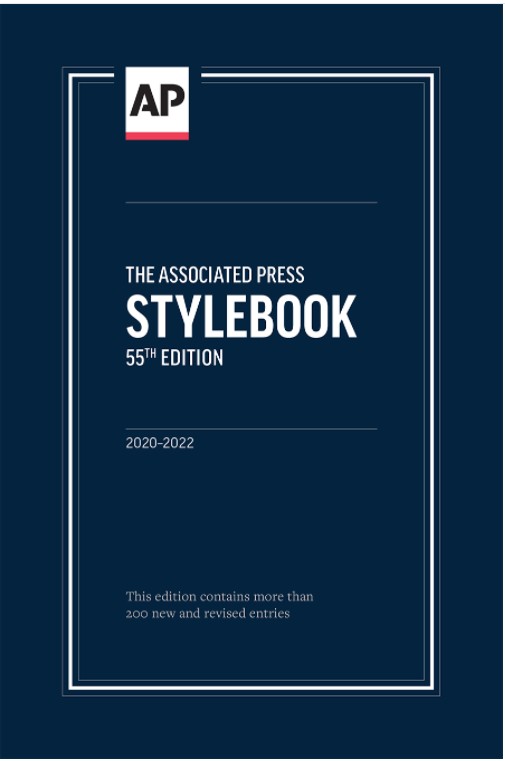
    Over at Freelance Switch, there is an interesting article about Yahoo’s new stylebook being published in an effort to help establish writing standards for online content. As the article correctly points out, most sites currently follow the journalistic rules and suggestions found within the Associated Press Stylebook, or AP Stylebook. The conventions laid out within [...]

  • 1

    Thanks for the WiFi Starbucks

    May 10, 2010

    Years ago Starbucks put publicly accessible wireless Internet access in every store nationwide. It was overpriced, but that effort led to the proliferation of free WiFi in coffee shops around the country. For that, I raise a class of dark triple-shot low-fat grande mocha.

  • 0

    Guru.com Discontinues Freelancer Rank Will Now Sort By Earnings

    May 5, 2010

    Post by Brian E Nelson – In an email notice to freelance members of Guru.com (also here), the company announced that it was ending it Freelancer Rank system. The notice says that “upon closer examination,” that Rank is flawed and out of date. Further, it states that there is no legitimate way to rank the [...]

  • 0

    Are Freelance Writers Real Writers?

    April 29, 2010

    I got asked an interesting question. After answering the common "What do you do," question by saying that I’m a freelance writer, I got an unusual follow up question. "So, is that like a regular writer, writer, or is that like a technical writer." There are two unusual bits to that question. The first is [...]